
Graphic Designing
“Unleash Your Creativity – Master the Art of Graphic Design!”
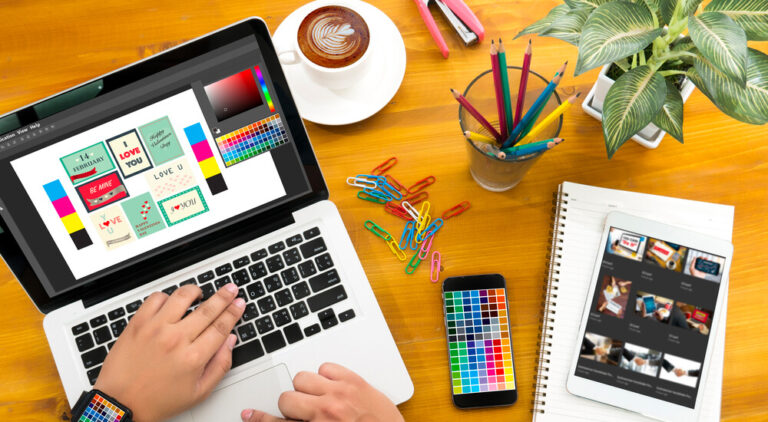
Graphic design encompasses a variety of tools and techniques used to create and enhance visual elements such as logos, book covers, magazine layouts, newspapers, pamphlets, invitations, billboards, signage, brochures, image editing, and visually appealing reports and presentations. This field offers vast opportunities and encourages individuals to channel their creativity into unique and impactful designs, showcasing their artistic talents through innovative visual communication.
💵 40% Off
🕒 6 Months Duration
📈 Beginner to Advance Level
▶️ Physical Classes
🔴 Live Q&A on Every Saturday
🗒 ️ Notes Supported
📞 Call Support Morning 9 AM to 8 PM (Mon-Sat)
⏳ Lifetime Course Access
Module 1: Essential Office Tools
MS Word
- Formatting fonts and paragraphs for professional documents.
- Editing, saving, and printing text documents.
- Adding elements like tables, headers, footers, and SmartArt.
- Using page breaks, lists, styles, and grammar tools.
- Exploring document properties, tabs, mail merge, macros, and protective settings.
- Hands-on project work to reinforce learning.
MS Excel
- Creating, editing, saving, and printing spreadsheets.
- Mastering basic to advanced formulas (e.g., SUM, MAX, MIN, COUNT, RANK).
- Conditional formatting and colorful worksheet designs.
- Visual data representation through charts, graphs, and forms.
- Data analysis with filters and subtotals.
- Securing and protecting spreadsheets.
- Comprehensive project-based learning.
MS PowerPoint
- Designing, customizing, and printing presentations.
- Adding animations, transitions, charts, and photo albums.
- Creating polished, professional slides for impactful communication.
- Includes a project for real-world application.
Internet Basics
- Introduction to browsers and internet essentials.
- Downloading, searching, surfing, and saving data online.
- Practical activities like online form submissions, bill payments, and ticket bookings.
Module 2: Fundamentals of Graphic Design (Theory)
- Core Principles: Proximity, white space, alignment, contrast, repetition, typography, and color theory.
Module 3: Advanced Graphic Design (Practical)
CorelDraw
- Understanding CorelDraw tools and setting up workspaces.
- Techniques like PowerClip, logo design, and creative layouts.
- Special effects: Bevel, text, outlining, and working with bitmaps.
- Project-based work to enhance creativity.
Adobe Photoshop
- Navigating Photoshop tools and layers.
- Advanced image editing with masks, color correction, and retouching.
- Background editing and typography effects.
- Project work to apply learned skills.
Adobe Illustrator
- Exploring Illustrator tools and creating logos, magazine covers, and business cards.
- Working with colors, 3D objects, strokes, and typography.
- Creative projects to practice concepts.
Adobe InDesign
- Mastering tools for layouts, master pages, and color settings.
- Working with text frames, paths, and paragraph styles.
- Practical projects to develop publishing expertise.
Canva
- Introduction to Canva’s interface and tools.
- Designing templates, creating components, and posters.
- Projects for hands-on learning and application.
Module 4: Professional Development
- Guidance on building portfolios and resumes.
- Insights into printing, publishing, and job interview preparation.
- Training on essential job skills for graphic design roles.
Career Opportunities
After completing this course, participants can explore roles in the design and creative industry:
| Job Role | Average Salary Range (₹ P.A.) |
|---|---|
| Graphic Designer | 2.5 Lacs – 5 Lacs |
| Logo Designer | 1.2 Lacs – 4 Lacs |
| Art Director | 6 Lacs – 12 Lacs |
| Packaging Designer | 3 Lacs – 6 Lacs |
| Brand Designer | 4 Lacs – 8 Lacs |
| Creative Director | 10 Lacs – 20 Lacs |
Eligibility Requirements
- Basic understanding of English.
- No age or academic restrictions.
- Fundamental knowledge of Windows OS is preferred.
Who is this course for?
This course is designed for:
- Students preparing for jobs in marketing companies.
- Job seekers aiming to work in print and publishing industries.
- Small business owners or editors involved in designing newspapers and newsletters.
- Photography enthusiasts and individuals interested in photo editing.
- Designers specializing in logos, patterns, covers, and similar creative projects.
It is ideal for anyone looking to develop skills in graphic design, photo editing, or layout creation for professional opportunities.
Aaira Group of Institutes
Aaira Group of Institute(IT program) as a mission is greatly influenced by the computer literacy mission of Government of India. Under this mission every person should be able to get the computer Knowledge.
popular courses
Contact Us
9716817484, 7065679084
Mon-Sat (9 AM- 8 PM)
- A-Block Gali No-12, 20 Feet Road, Brijpuri Near SBI ATM Delhi
- info@agieducation
- agieducation