
CorelDraw
“Unleash Your Creativity – Master the Art of Graphic Design!”
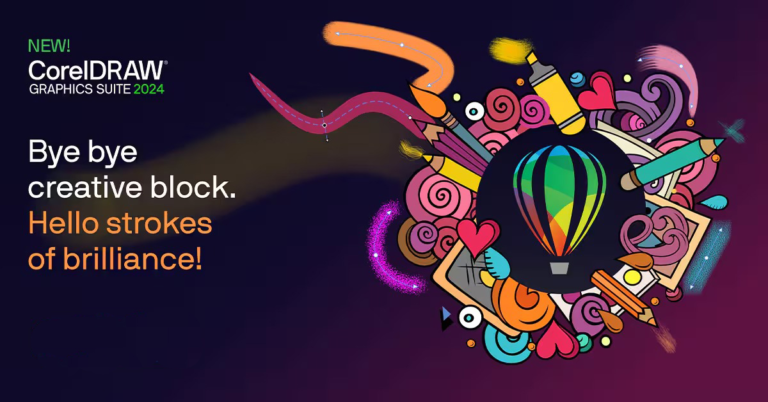
Graphic design involves using various tools to create visual elements like logos, brochures, advertisements, and digital content. CorelDRAW is an essential tool in this field, allowing designers to craft creative and impactful designs for both print and digital media. It helps transform ideas into visually compelling communication, making it a valuable skill for anyone looking to explore the world of design and showcase their creativity effectively.
💵 40% Off
🕒 2 Months Duration
📈 Beginner to Advance Level
▶️ Physical Classes
🔴 Live Q&A on Every Saturday
🗒 ️ Notes Supported
📞 Call Support Morning 9 AM to 8 PM (Mon-Sat)
⏳ Lifetime Course Access
Module 1: Introduction to CorelDRAW
Getting Started with CorelDRAW
- Introduction to the CorelDRAW interface and workspace.
- Exploring the toolbar and basic tools: Selection Tool, Shape Tool, Pen Tool, etc.
- Customizing the workspace for efficient design workflow.
- Understanding CorelDRAW file formats and saving options.
Basic Drawing Techniques
- Drawing basic shapes like rectangles, circles, and lines.
- Using the Bezier Tool and Freehand Tool to create custom shapes.
- Working with vector graphics and the difference between raster and vector.
- Hands-on project: Create a simple logo using basic shapes and tools.
Module 2: Working with Colors, Effects, and Text
Understanding Colors and Color Theory
- Using the Color Palette and Color Mixer tools.
- Creating and managing custom colors and gradients.
- Understanding CMYK vs RGB color models.
- Hands-on project: Designing a poster with effective color choices.
Working with Text and Typography
- Adding and formatting text with CorelDRAW.
- Exploring text effects: Outlines, shadows, and 3D effects.
- Working with text on a path for creative designs.
- Hands-on project: Create a text-based design or poster.
Module 3: Advanced Techniques and Tools
Using Layers and Transparency
- Organizing and managing multiple layers in a design.
- Working with opacity and transparency settings.
- Masking objects and using clipping paths to create complex shapes.
- Hands-on project: Creating a multi-layered design with transparency effects.
Using CorelDRAW’s PowerClip and Tracing Tool
- Creating dynamic effects using PowerClip for inserting objects into shapes.
- Using the Trace Bitmap tool to convert raster images into vector format.
- Hands-on project: Trace a bitmap image and enhance it with vector tools.
Module 4: Creating Professional Designs
Designing Logos and Branding Elements
- How to design professional logos using CorelDRAW tools.
- Creating scalable vector graphics for branding.
- Hands-on project: Create a custom logo and a branding kit (business cards, letterhead).
Creating Flyers, Brochures, and Posters
- Using templates and guidelines to design marketing materials.
- Working with text and image placement for balanced designs.
- Hands-on project: Design a flyer or brochure for an event or product.
Module 5: Exporting and Preparing Files
Optimizing Designs for Print and Web
- Preparing files for printing: DPI, bleed, and CMYK settings.
- Exporting designs for digital use: File types (PDF, PNG, SVG).
- Creating multi-page designs and exporting them as PDFs.
- Hands-on project: Prepare a final design for print and web.
CorelDRAW Project Work
Throughout the course, there will be multiple hands-on projects designed to help you apply the skills learned in each module. By the end of the course, you will have a complete portfolio with projects such as logos, brochures, and custom designs, demonstrating your proficiency in CorelDRAW.
Job Roles After Completing the CorelDRAW Course:
| Job Role | Average Salary Range (₹ P.A.) |
|---|---|
| Graphic Designer | ₹2.5 Lacs – ₹5 Lacs |
| Logo Designer | ₹1.5 Lacs – ₹4 Lacs |
| Art Director | ₹6 Lacs – ₹12 Lacs |
| Packaging Designer | ₹3 Lacs – ₹6 Lacs |
| Brand Designer | ₹4 Lacs – ₹8 Lacs |
| Creative Director | ₹10 Lacs – ₹20 Lacs |
Conclusion:
This CorelDRAW course is designed to help individuals at all levels master graphic design and vector artwork. With professional tools and hands-on projects, students will gain the skills necessary for a variety of design roles, including logo design, branding, print, and digital marketing materials.
Target Audience for CorelDRAW Course:
- Aspiring Graphic Designers looking to build foundational skills in vector design.
- Small business owners needing tools for DIY branding and marketing materials.
- Freelance designers wanting to expand their skillset in professional graphic design software.
- Photography enthusiasts interested in learning design for photo manipulation and editing.
- Print and publishing professionals who want to create designs for physical products like brochures, posters, and catalogs.
Aaira Group of Institutes
Aaira Group of Institute(IT program) as a mission is greatly influenced by the computer literacy mission of Government of India. Under this mission every person should be able to get the computer Knowledge.
popular courses
Contact Us
9716817484, 7065679084
Mon-Sat (9 AM- 8 PM)
- A-Block Gali No-12, 20 Feet Road, Brijpuri Near SBI ATM Delhi
- info@agieducation
- agieducation